Make it here, or copy the prompt
AI Christmas Photo Prompts
Each AI Christmas photo prompt below is also a scene in our generator, written to keep your face and to work with up to four photos: add your photos above and pick a scene. Prefer another tool? Copy any AI Christmas photo prompt into ChatGPT or Gemini together with your photo.
1Add your photos (1 to 4)
- Face to the camera, in even light
- Selfies work; a photo taken by someone else, a step back, works even better
- One clear photo per person is enough
- Filters, beauty mode, sunglasses
- Backlight, or faces too small to see
Photos can be taken anywhere; everyone ends up in one picture. Pets welcome. Photos with nudity or sexual content are refused.
2Pick a scene: Cozy Fireplace
3Add a detail (optional)
4Format
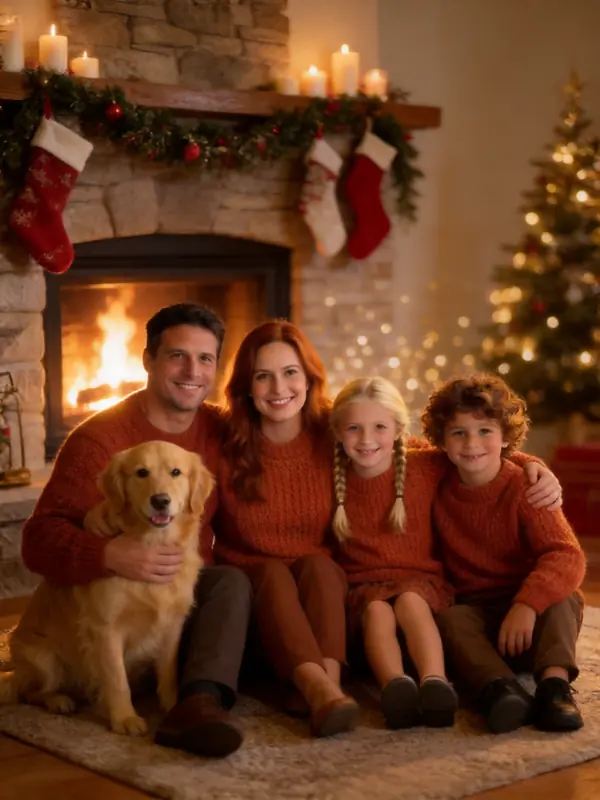
Your scene
Cozy Fireplace
Knit sweaters and firelight by a stocking-hung mantel.
Examples made from AI-generated sample people, not customers.
How to use an AI Christmas photo prompt
- Attach your photo first, then paste the prompt. Most tools ignore a prompt that asks to "keep my face" if no photo is attached.
- Keep the face line at the end of every prompt. It is what stops the tool from changing the person.
- Add one detail of your own: a name on a stocking, the dog in a Santa hat, a color theme.
- If the face drifts, start a new chat and try again with a closer, front-lit photo.
The Santa prompts work best with a photo of the whole family; the AI Santa photo page makes them without a prompt. Making several? The pricing page shows what each photo costs after your free one.
16 AI Christmas photo prompts to copy
Each picture shows what the scene makes in our generator. Examples made from AI-generated sample people, not customers.
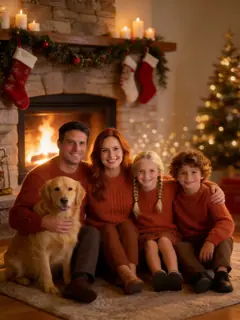
1. Cozy fireplace portrait
Turn the people in my photo into a cozy Christmas portrait in front of a crackling stone fireplace with stockings on the mantel, candles and a glowing tree behind them. Each person in one solid-color chunky knit sweater, warm firelight from the side. Real photo, natural skin. Keep every face exactly as in my photo.
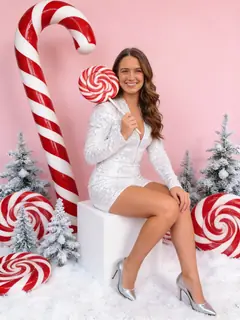
2. Candy cane glam studio
Create a fashion-editorial Christmas photo of the person in my photo in a bright studio with a pastel-pink backdrop and giant red-and-white candy canes, wearing a sparkly white sequined jumpsuit, sitting on a white cube with a giant peppermint lollipop resting on one shoulder. High-key studio light, 55mm. Keep the face exactly as in my photo.
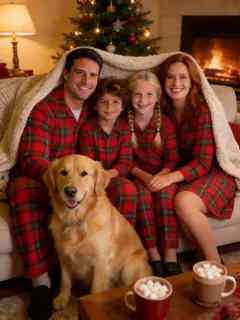
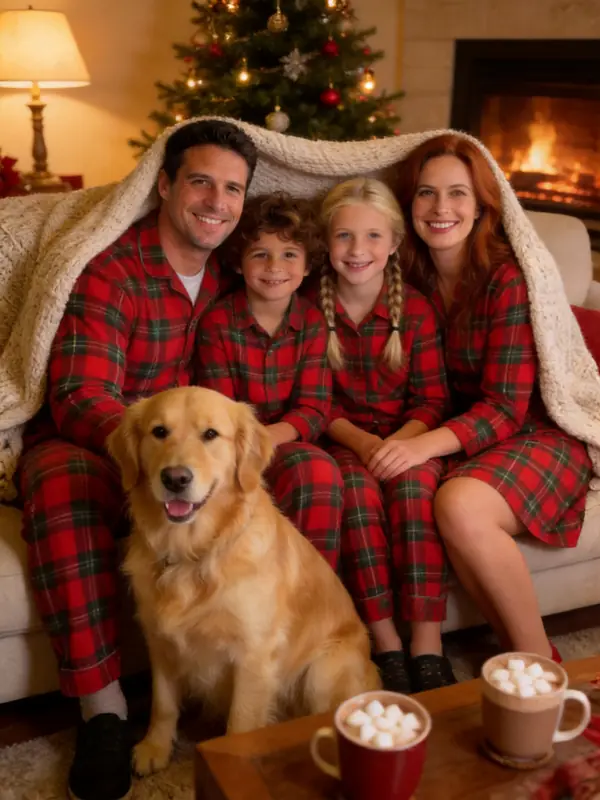
3. Matching Christmas pajamas
Put everyone in my photo in matching red-and-green plaid Christmas pajamas, snuggled on a sofa under a knit blanket with a tree and a fire behind and mugs of hot cocoa on the table. Candid, warm lamp light. Keep every face exactly as in my photo.
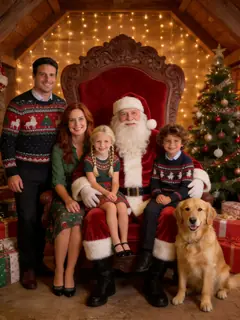
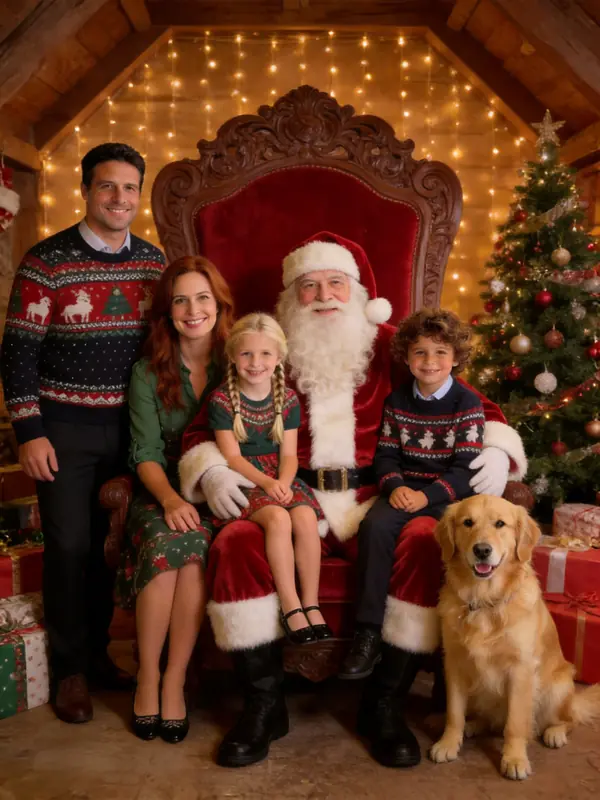
4. Photo with Santa
Make a real-looking photo of the people in my photo gathered around Santa Claus in his red velvet chair in a festive grotto with presents and a tree. Santa keeps his red suit; everyone else wears a smart holiday outfit in Christmas colors, and each person appears once. Keep every face exactly as in my photo.
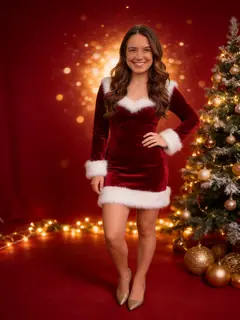
5. Santa glam portrait
Make a glamorous Christmas studio portrait of the person in my photo in a fitted red velvet dress with white faux-fur trim, deep red backdrop, decorated tree, warm fairy lights and gold ornaments, sparkling bokeh. Natural skin texture. Keep the face exactly as in my photo.
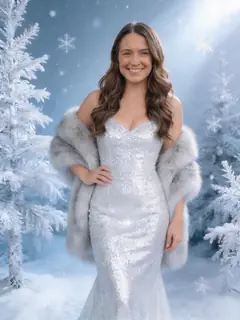
6. Snow queen
Make an elegant winter studio portrait of the person in my photo in a silver sparkly gown with a faux-fur stole, among frosted white trees with falling snow, soft icy light, silver-and-blue palette. Keep the face exactly as in my photo.
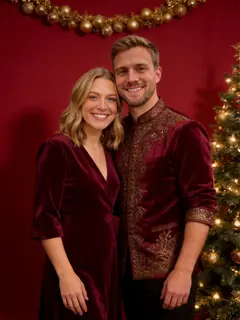
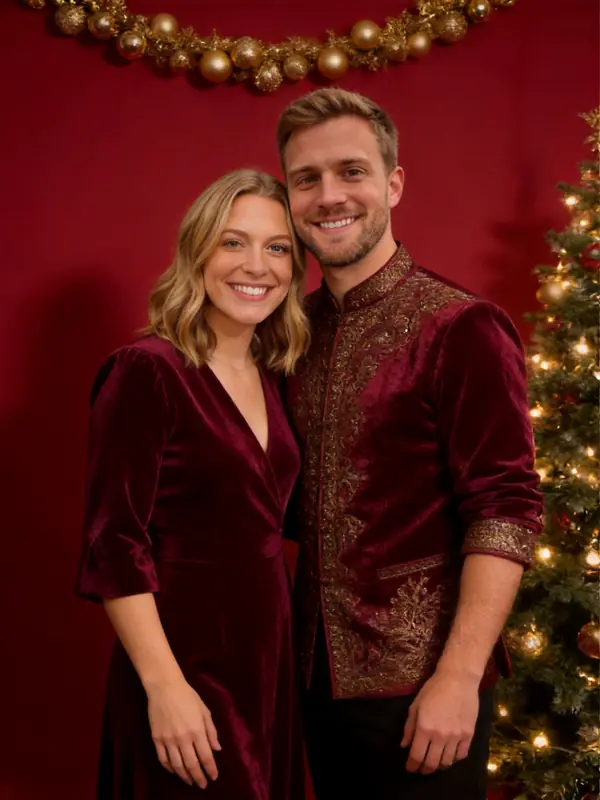
7. Red and gold studio
Make a classic Christmas studio portrait of the people in my photo against a deep red backdrop with a gold-ornament garland and a glowing tree to one side, each person in one elegant red, emerald or gold outfit, soft studio light. Keep every face exactly as in my photo.
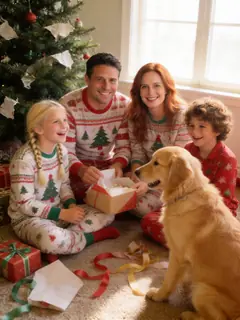
8. Christmas morning
Make a candid Christmas morning photo of the people in my photo in pajamas, sitting on the floor by the tree mid-laugh, opening presents, wrapping paper everywhere, soft morning sunlight. Keep every face exactly as in my photo.
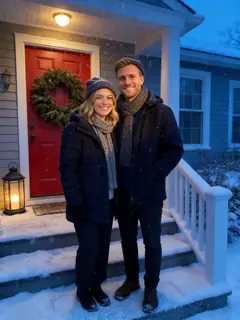
9. Snowy front porch
Put the people in my photo on a snowy front porch with a red door, a big pine wreath and a lantern, in warm winter coats, scarves and hats, light snow falling at blue hour with warm porch light on their faces. Keep every face exactly as in my photo.
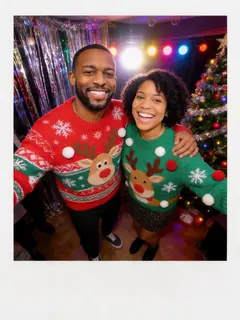
10. Ugly sweater party
Put everyone in my photo at an ugly Christmas sweater party, each in a different bright, funny knitted sweater, tinsel and party lights, laughing, on-camera flash. Keep every face exactly as in my photo.
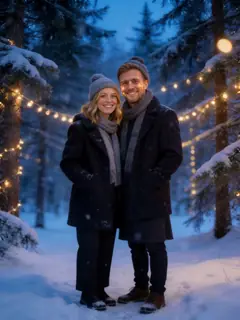
11. Winter wonderland
Create a winter wonderland photo of the people in my photo in a snowy pine forest at blue hour, stylish winter coats, soft falling snow and warm fairy lights in the trees, 85mm, background blurred. Keep every face exactly as in my photo.
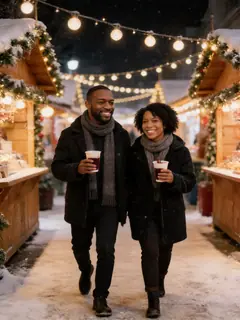
12. Christmas market
Show the people in my photo strolling through a European Christmas market at night between wooden stalls, warm string lights, light snow and paper cups of mulled wine. Candid, real photo. Keep every face exactly as in my photo.
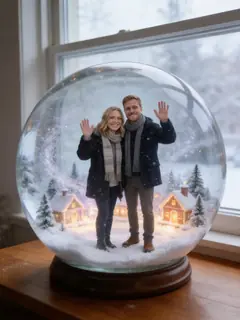
13. Inside a snow globe
Turn the people in my photo into small figures inside a large glass snow globe with a miniature snowy village and glittering snow, the globe on a wooden table by a window. Make them large enough that their faces stay recognizable.
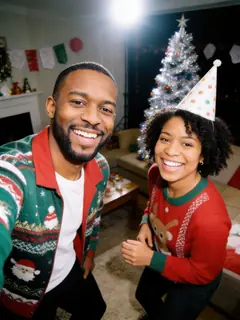
14. 2000s flash snapshot
Make a 2000s point-and-shoot photo of the people in my photo at a living room Christmas party with a tinsel tree, harsh direct flash, slightly overexposed faces, darker background, a little grain. Candid, mid-laugh. Keep every face exactly as in my photo.
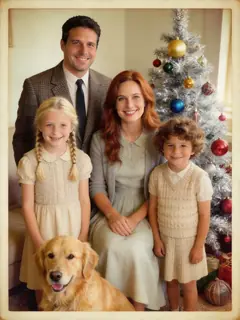
15. 1950s vintage Christmas
Make a 1950s Kodachrome Christmas portrait of the people in my photo in retro holiday outfits, a silver tinsel tree and big colored bulbs, faded film colors and fine grain. Keep every face exactly as in my photo.
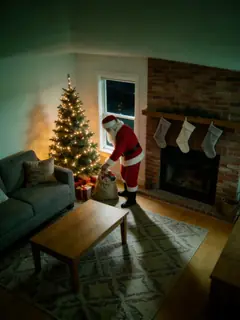
16. Santa caught on camera
Here is a photo of my living room. Keep the room exactly as it is and add Santa Claus in his red suit placing presents under the tree, with shadows on the floor. Make it look like a night-time home security camera still: high corner angle, wide lens, dim tree light, grain.
Turning the result into a card? Use the AI Christmas card generator, or make it with the whole family on the AI family Christmas photo page. New to the trend? Read what the AI Christmas photo trend is.
AI Christmas photo prompt FAQ
No prompt needed: try it with your photo
Upload your photos, pick a scene, and your Christmas photo is ready in about 30 seconds. The first one is free.
Make my Christmas photo